Introducing Seedream 5.0 Pro: from lucky draws to controlled production
Our most precise image generation and editing model yet — with layer separation, coordinate- and color-code-level editing control, and native text rendering in 14 more languages. Available now on BytePlus ModelArk.
S
The Seedream Team
July 8, 2026 · 6 min read
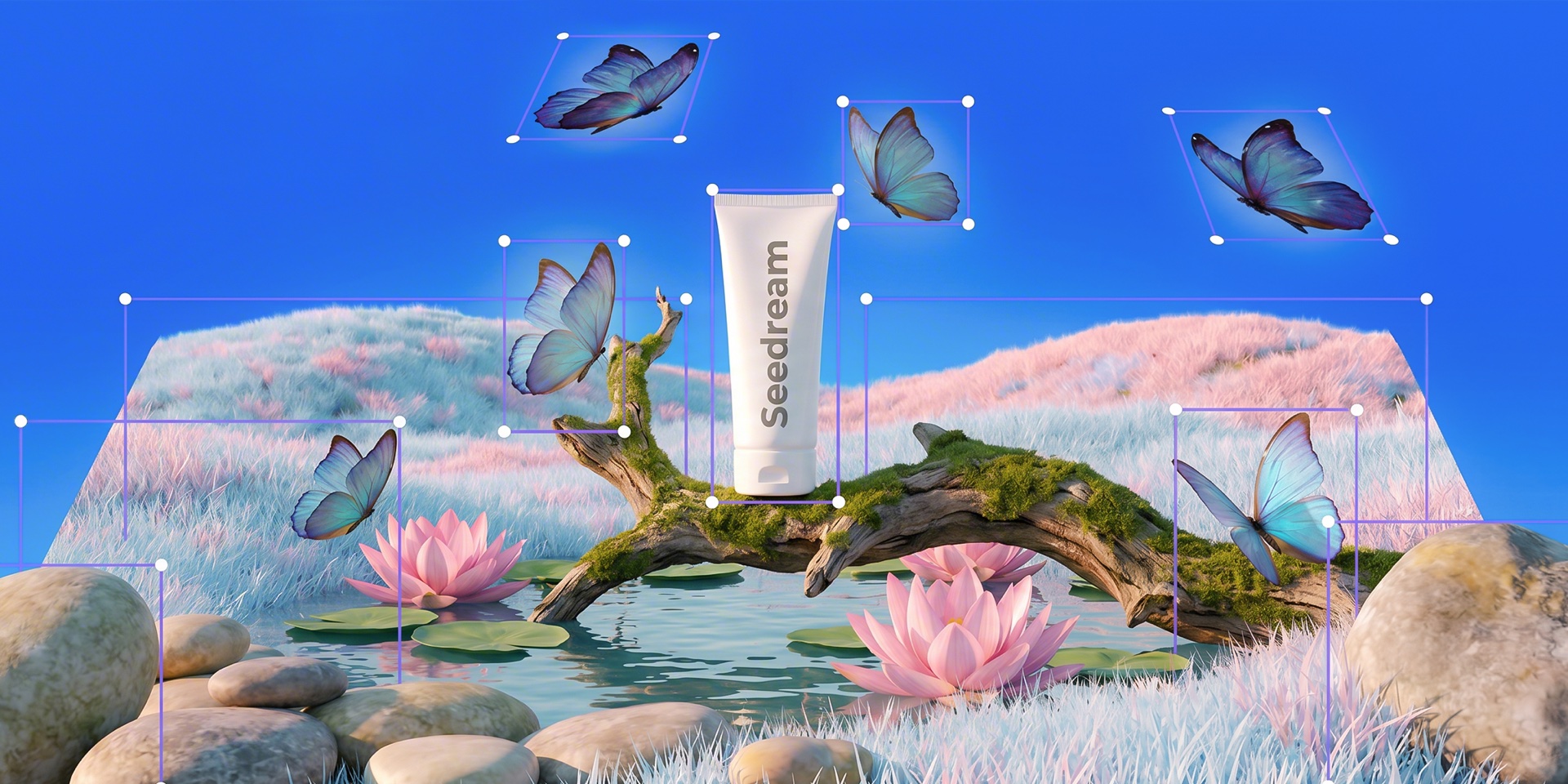
Generated with Seedream 5.0 Pro — interactive editing: every marked region is an independently editable element.
Today we're releasing Seedream 5.0 Pro, the newest flagship in the Seedream family of general-purpose image generation models. Seedream 5.0 Pro is built around a simple idea: image models shouldn't just produce better pictures — they should behave like a precision editing tool you can direct, not a slot machine you keep pulling.
With 5.0 Pro, you can point at a region by coordinates, name an exact color by its hex code, split a composition into independently editable layers, and render legible text natively in 14 additional languages — all from the prompt, all through one API.
🧩 Layer separation🎯 Coordinate & region editing🎨 Exact color codes🌍 14 new languages
Benchmarks
Where it ranks
On LMArena — the public, blind-vote leaderboard the industry cites, and the same source behind competitors' own launch charts — Seedream 5.0 Pro debuts at #2 for multi-image editing, ahead of every Google Nano Banana model and behind only GPT Image 2.
#2
Multi-Image Edit1415 Elo
#4
Image Edit1393 Elo
Multi-Image Edit Arena · Elo score
1
GPT Image 2
1455
2
Seedream 5.0 Pro
1415
3
Muse Image
1396
4
Nano Banana Pro
1367
5
Nano Banana Pro 2K
1363
6
Nano Banana 2
1362
7
ChatGPT Image (Hi-Fi)
1353
8
Reve 2.0
1345
9
GPT Image 1.5 (Hi-Fi)
1341
10
Uni 1.1 Max
1309
11
Seedream 4.5
1291
12
Wan 2.7 Image Pro
1289
1200130014001500
Source: LMArena Multi-Image Edit Arena, July 2026. Elo score, higher is better; axis from 1200. Seedream 5.0 Pro: 4,183 votes (preliminary).
Editing
Control you can point at
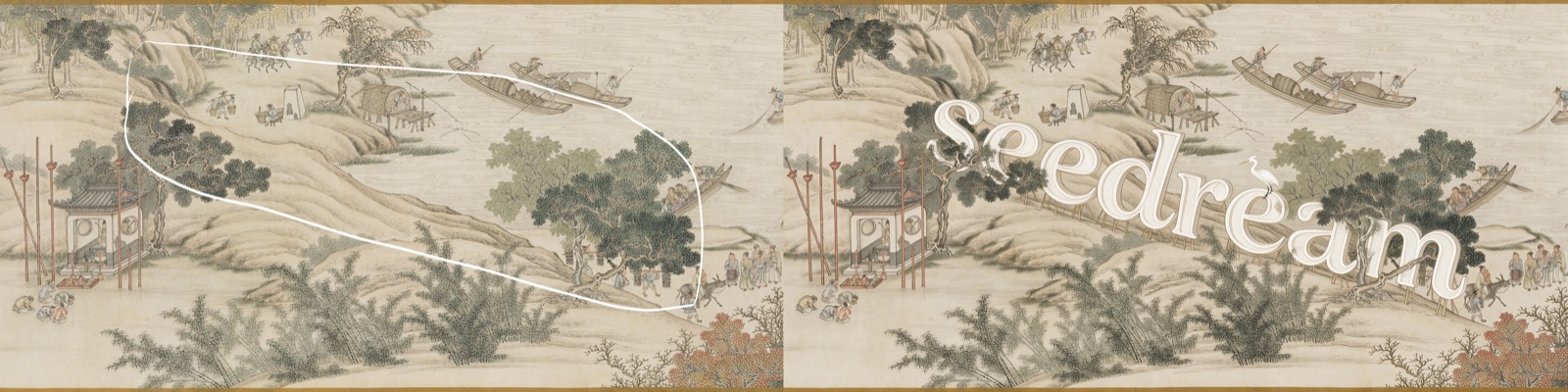
Seedream 5.0 Pro understands box selections, anchor points, arrows, annotation frames and raw coordinates as first-class editing instructions. Tell it "move the piece at the third file one square down" or "recolor the object at (640, 320) to #1A5CFF" and it edits exactly that region — leaving the rest of the image untouched.
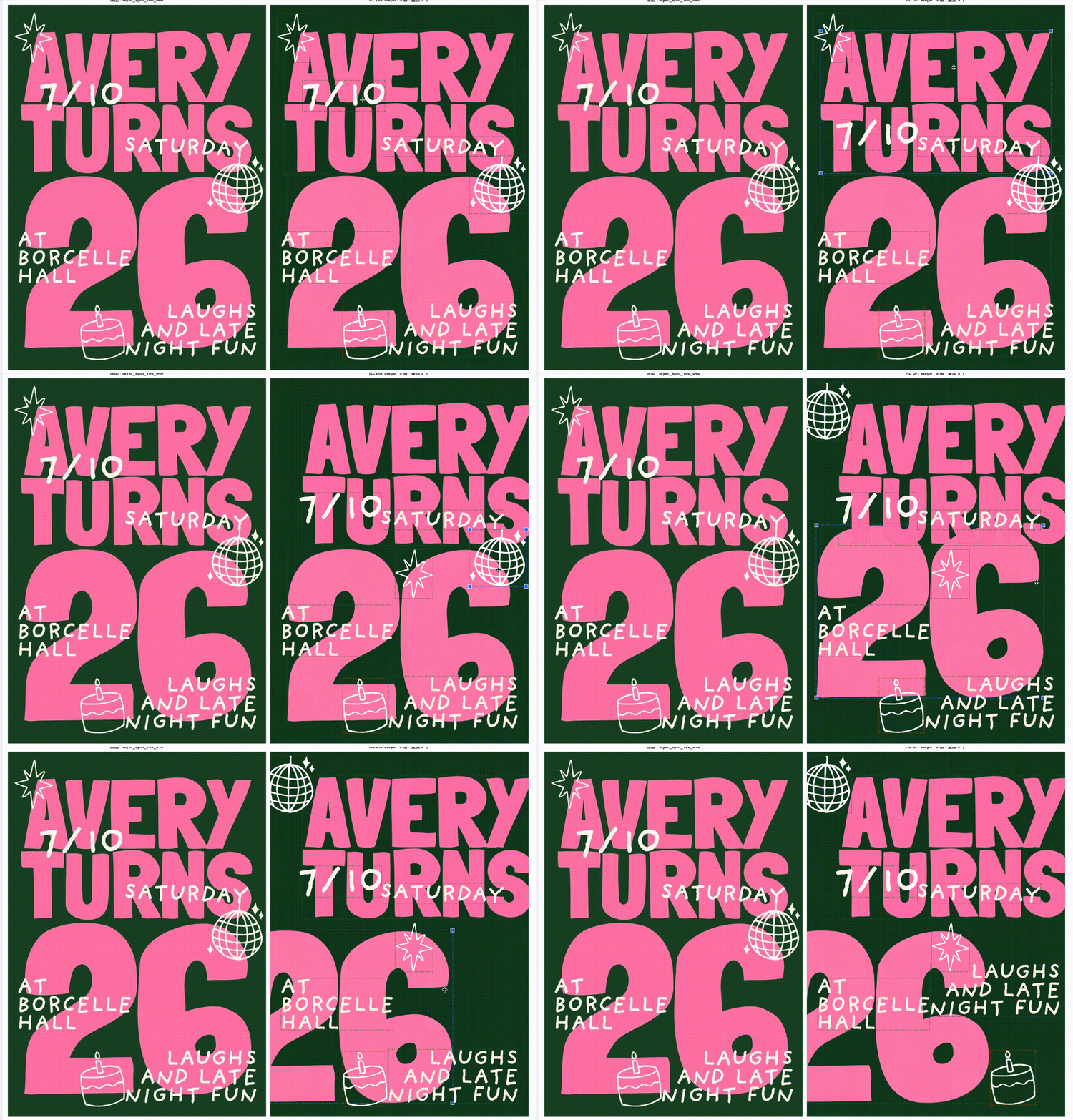
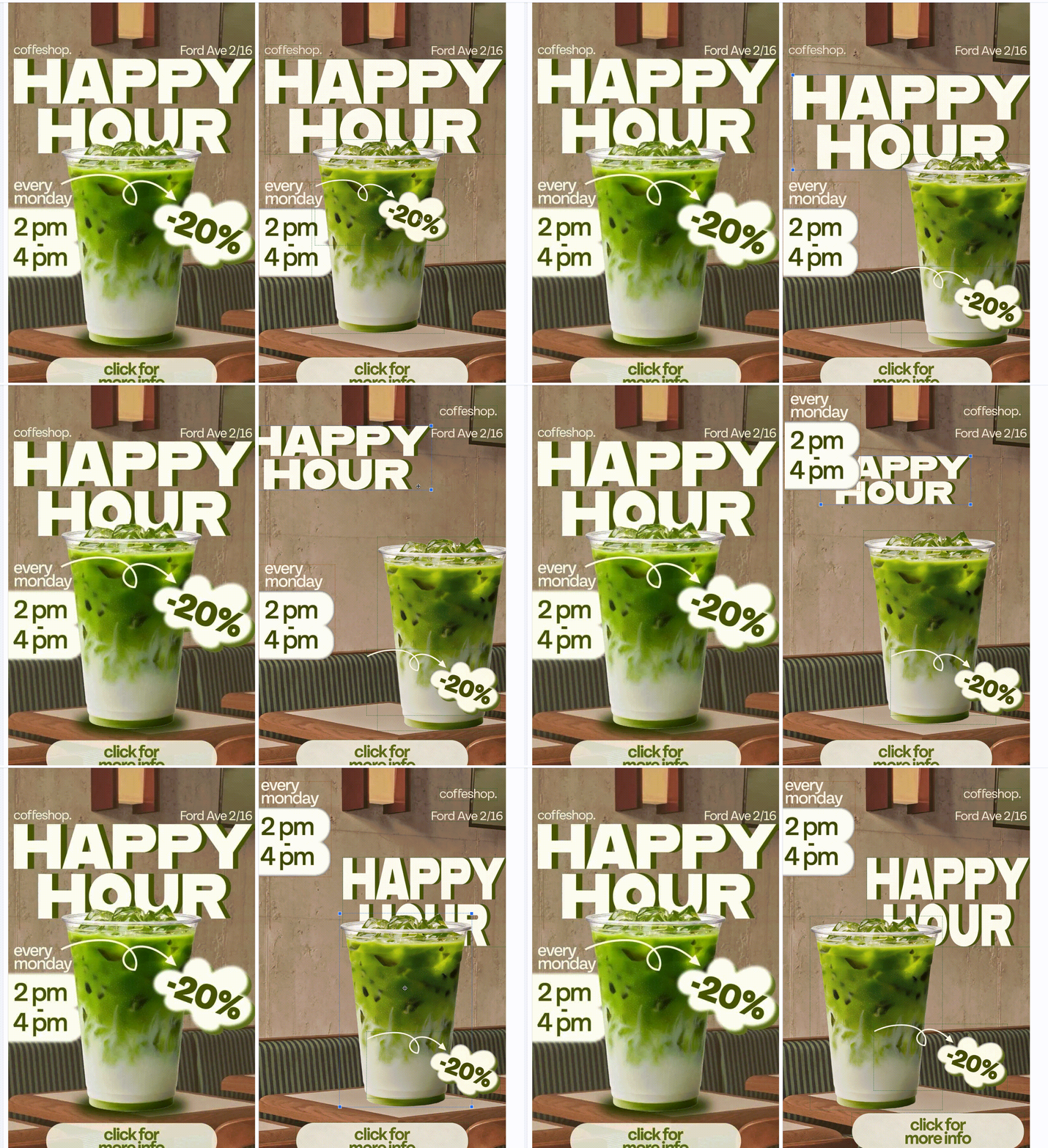
Layer separation is new in 5.0 Pro: a single request can decompose a scene into one background plus up to 19 element layers, each returned as a PNG with a true transparency channel — ready for drag, scale and recompose workflows in real design pipelines.
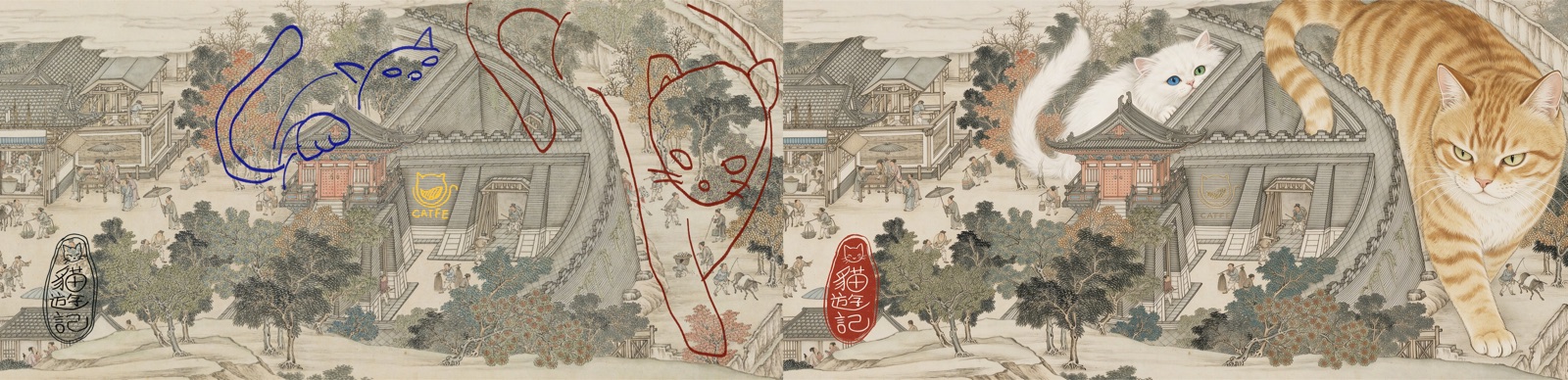
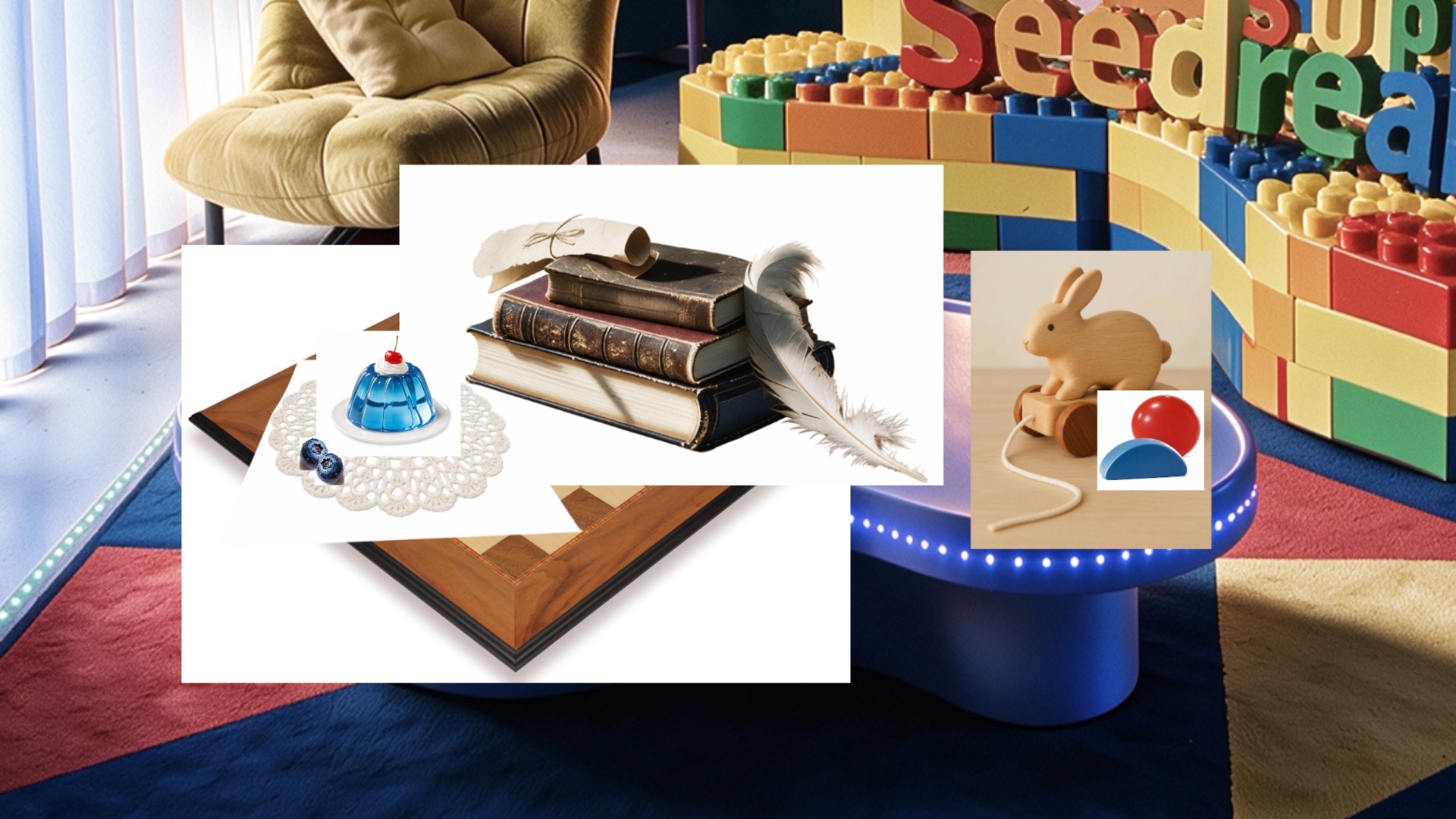
You can also edit by sketch: doodles, color blocks and stick-figure lines serve as visual instructions that the model turns into finished, photorealistic content. And multi-image fusion merges objects, styles and materials from several reference images into one target while preserving structure.
Anchor-point editing: circle a region on a classical scroll painting and remove it — the rest stays untouched.
Sketch editing: doodles and color blocks become finished, photorealistic content.
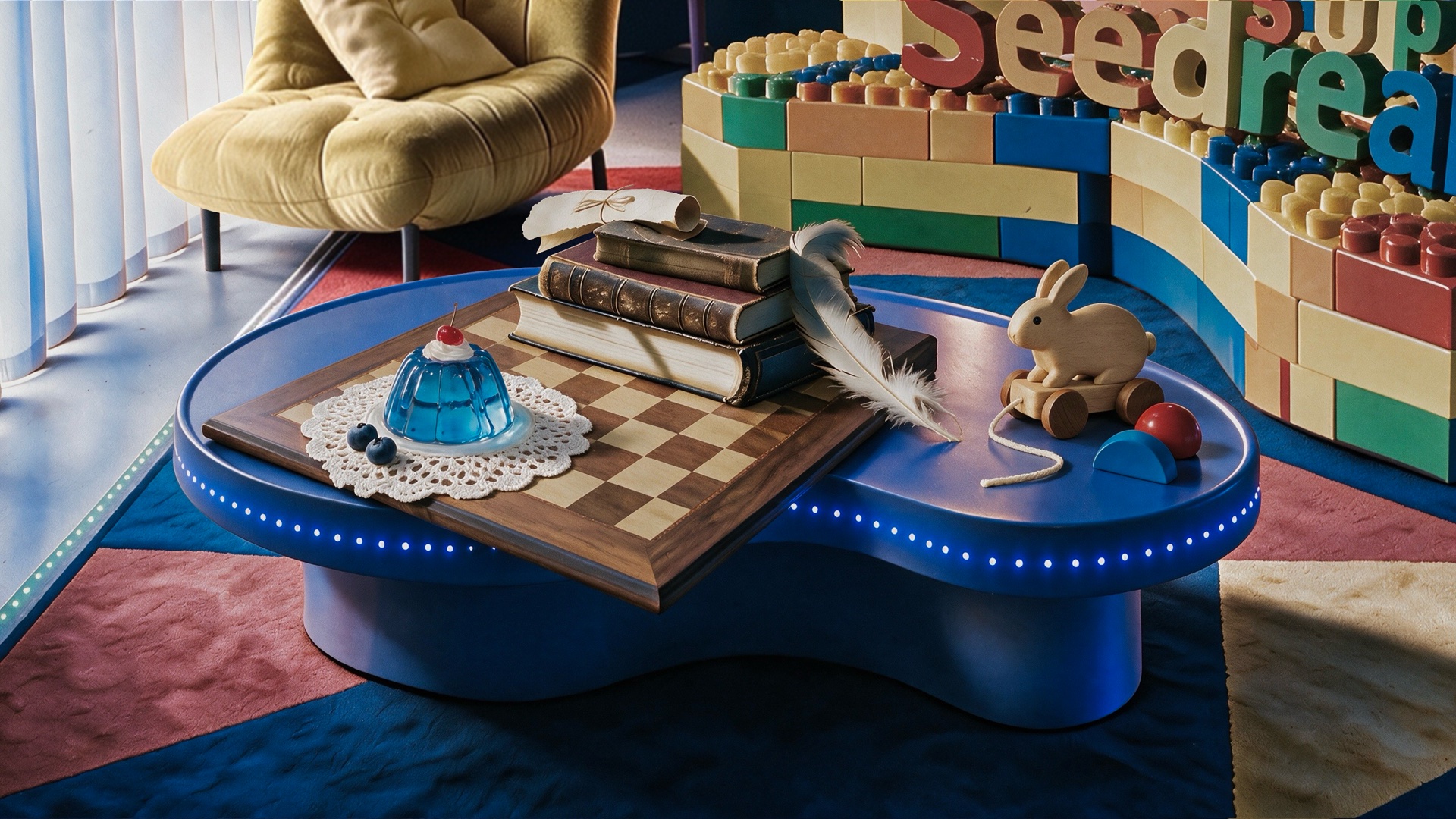
Input: 7 white-background reference photos, arranged as a layout over the target scene.Output: one photoreal still life — correct perspective, shadows and materials, no compositing.
Example prompt:"Precisely cut out the objects from my 7 white-background reference photos and compose them, per the specified layout, into a real still-life photograph. Ensure correct perspective, light-and-shadow, and spatial relationships; faithfully reproduce material details such as wood grain, leather, lace, glass jelly, and feathers, creating a high-quality image where reality intertwines with playfulness and retro blends with modern."
Layer separation, live: headline type, hearts and the model split into independently draggable layers.The same request on a promo layout — product, copy blocks and badges come back as transparent PNG layers.
Production
Built for real design work
5.0 Pro is tuned for the workflows where images are a deliverable, not a novelty: e-commerce product visuals, ad creative, film and animation pre-production, office documents and game design.
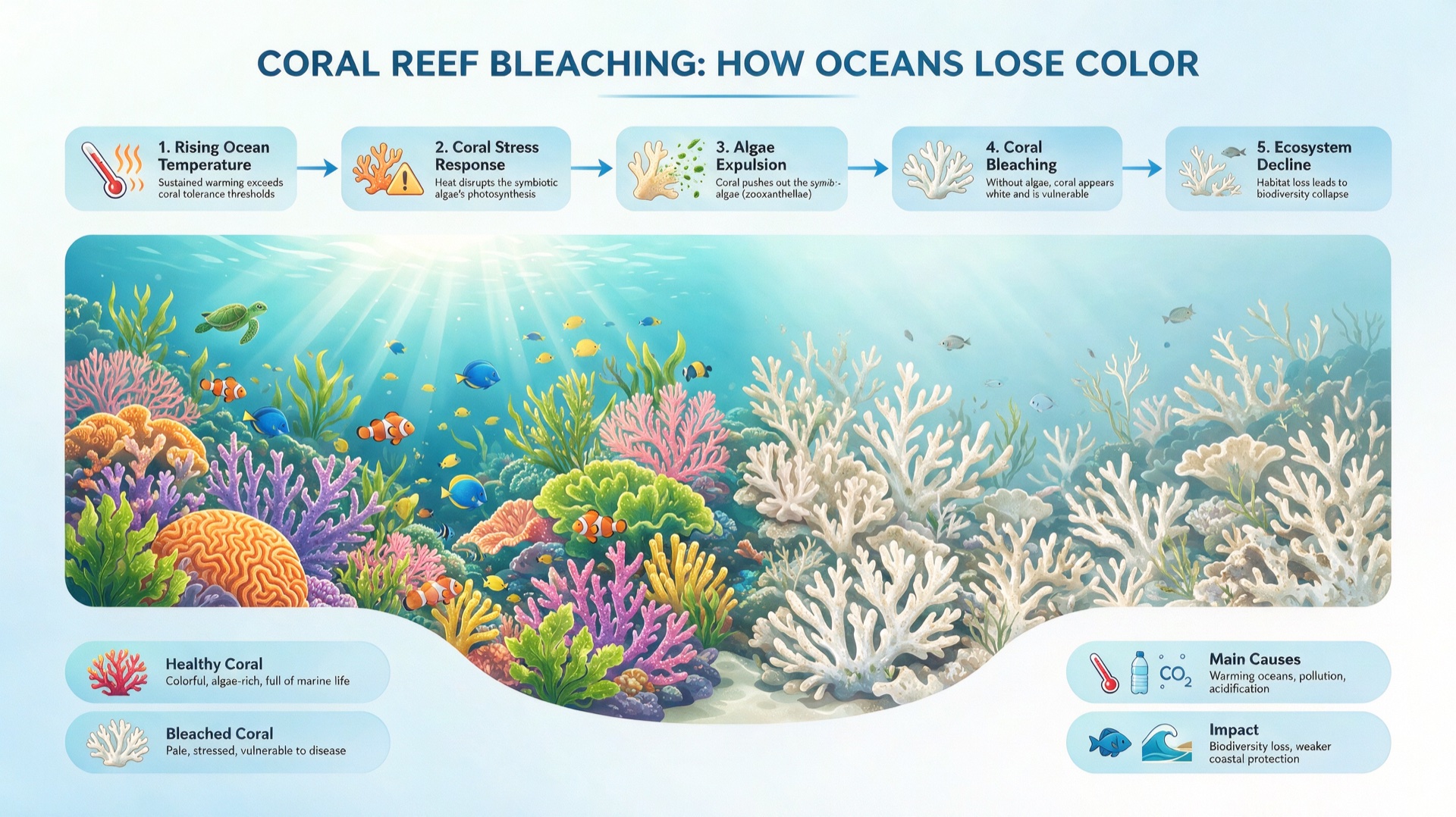
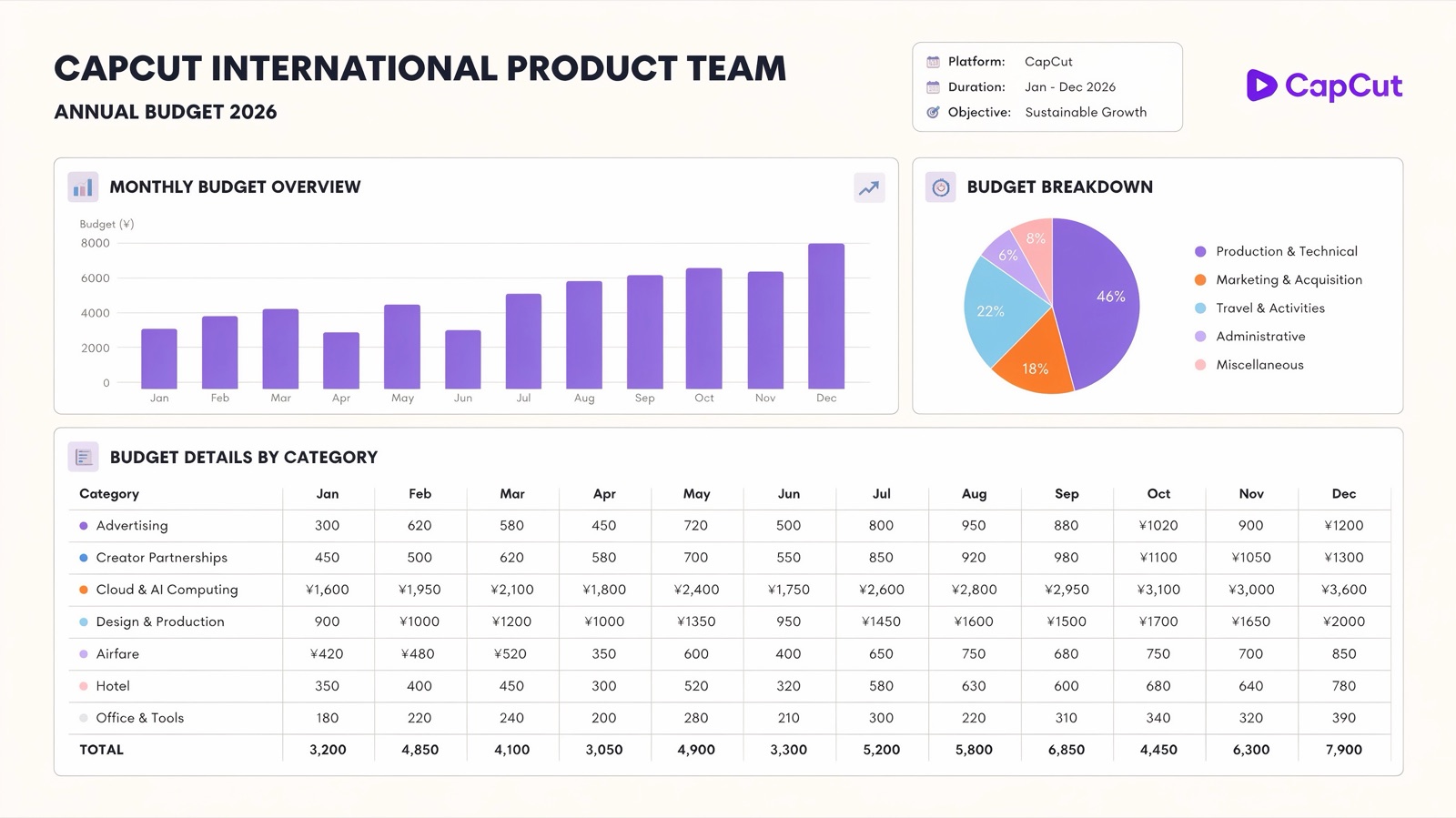
Information visualization — turning data, copy and concepts into clean, professionally laid-out visuals — is one of the model's core strengths, with markedly better typography richness and layout logic. Design productivity improvements mean the model more faithfully reproduces the layout, style and emphasis you actually asked for.
"From lucky-draw generation to controllable production" — fewer retries, surgical local edits, and product & character features that stay consistent shot to shot.
Knowledge visualization: a five-step coral-bleaching explainer with legends and clean English typography in a single generation.An annual budget dashboard — bar chart, breakdown pie and a 12-month category table with legible English labels — generated, not designed.
Pre-production
Storyboards that speak shot language
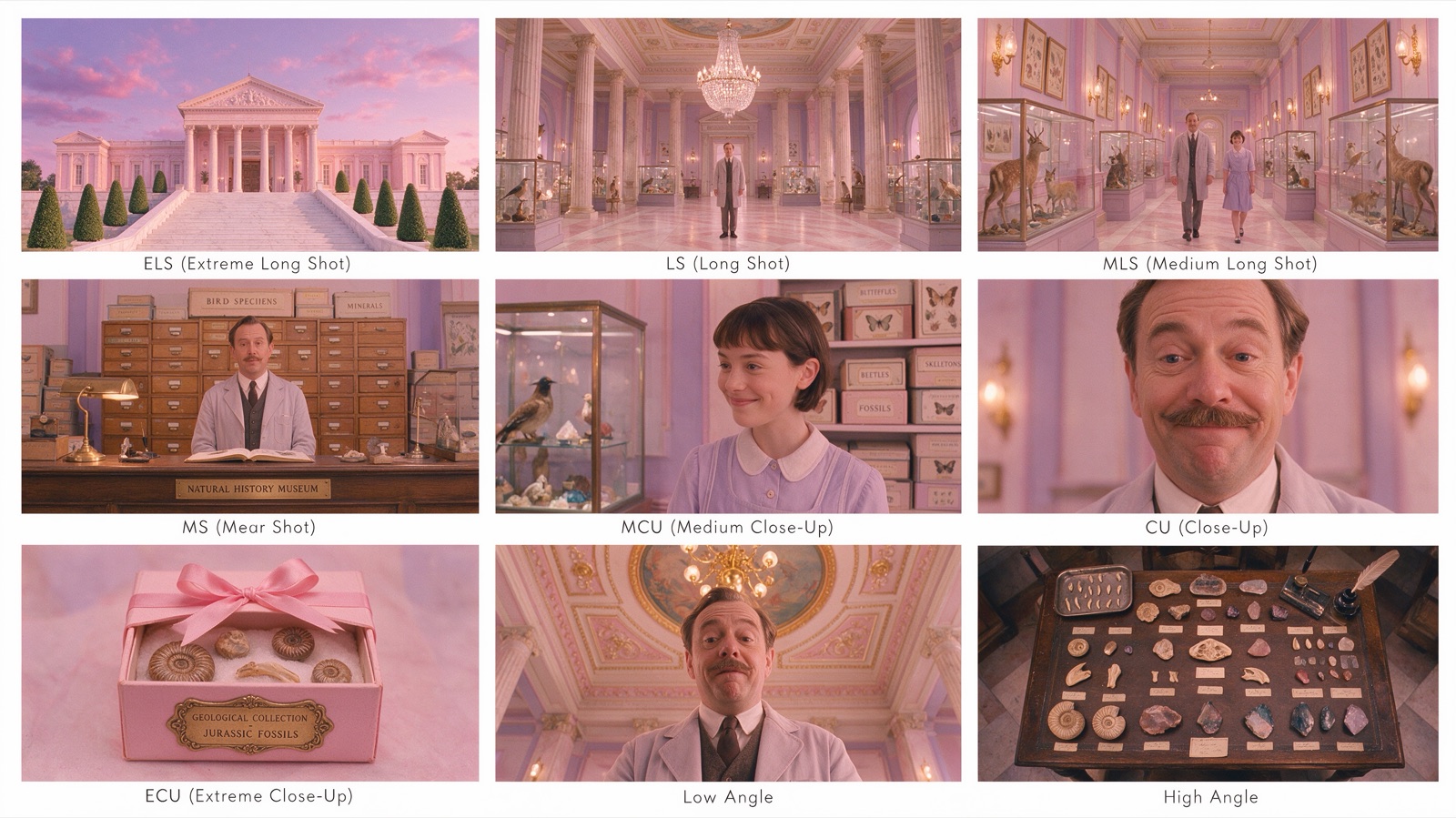
Seedream 5.0 Pro generates multi-panel storyboards in a single request — characters, wardrobe and set stay consistent from panel to panel, and the model understands cinematography vocabulary: extreme long shot, medium close-up, low angle, high angle. Describe the sequence; get a labeled board you can take into a shot-planning meeting.
The same pre-production muscle covers scene concepts, character sheets and frame-by-frame sequences for film, animation and game teams.
A 3×3 storyboard from one prompt: nine coherent panels, each labeled with its shot term, consistent cast and set dressing throughout.
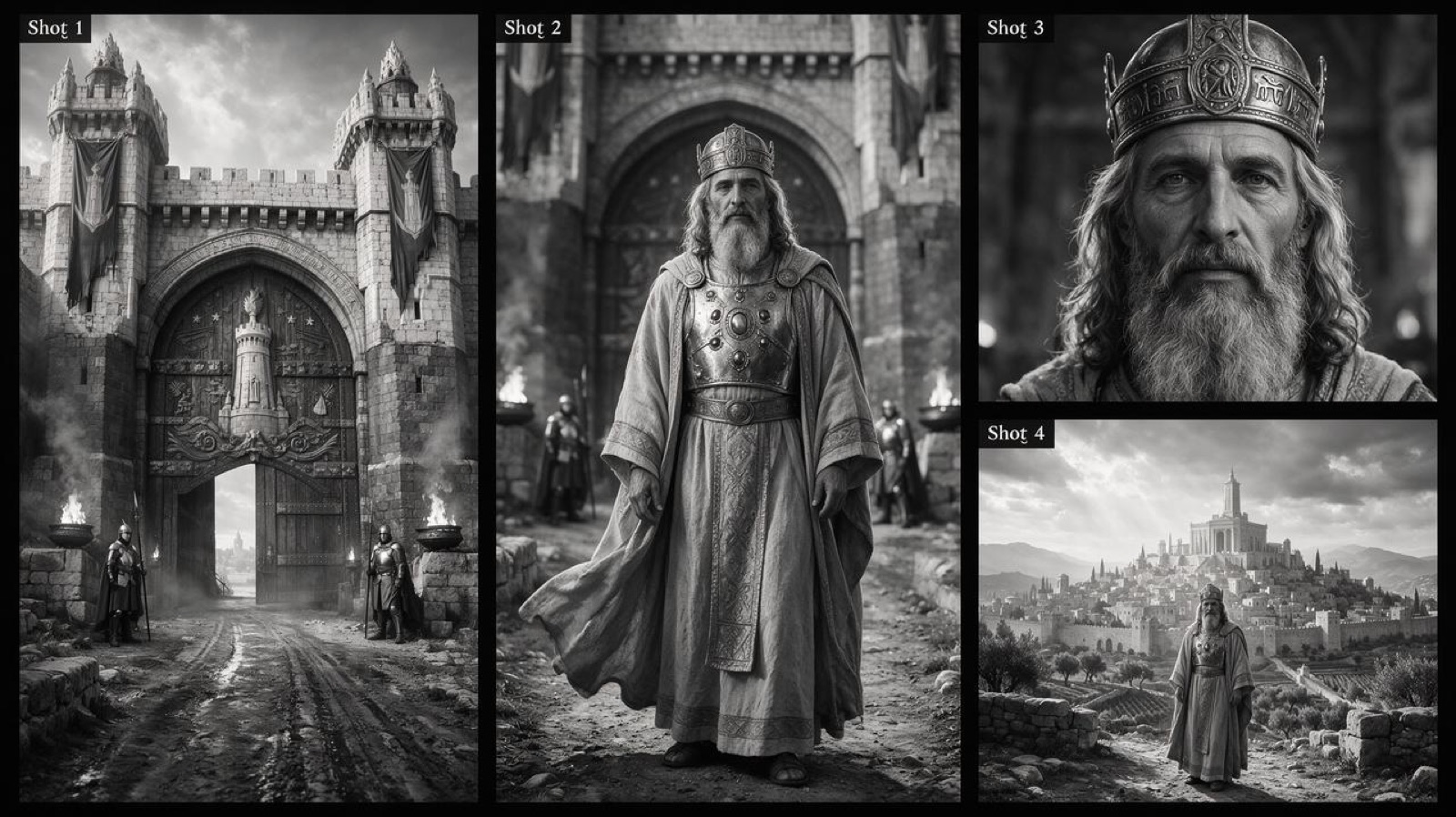
A four-shot cinematic sequence — establishing wide, full figure, close-up, closing vista — in consistent black-and-white grading.
Quality
Images that hold up
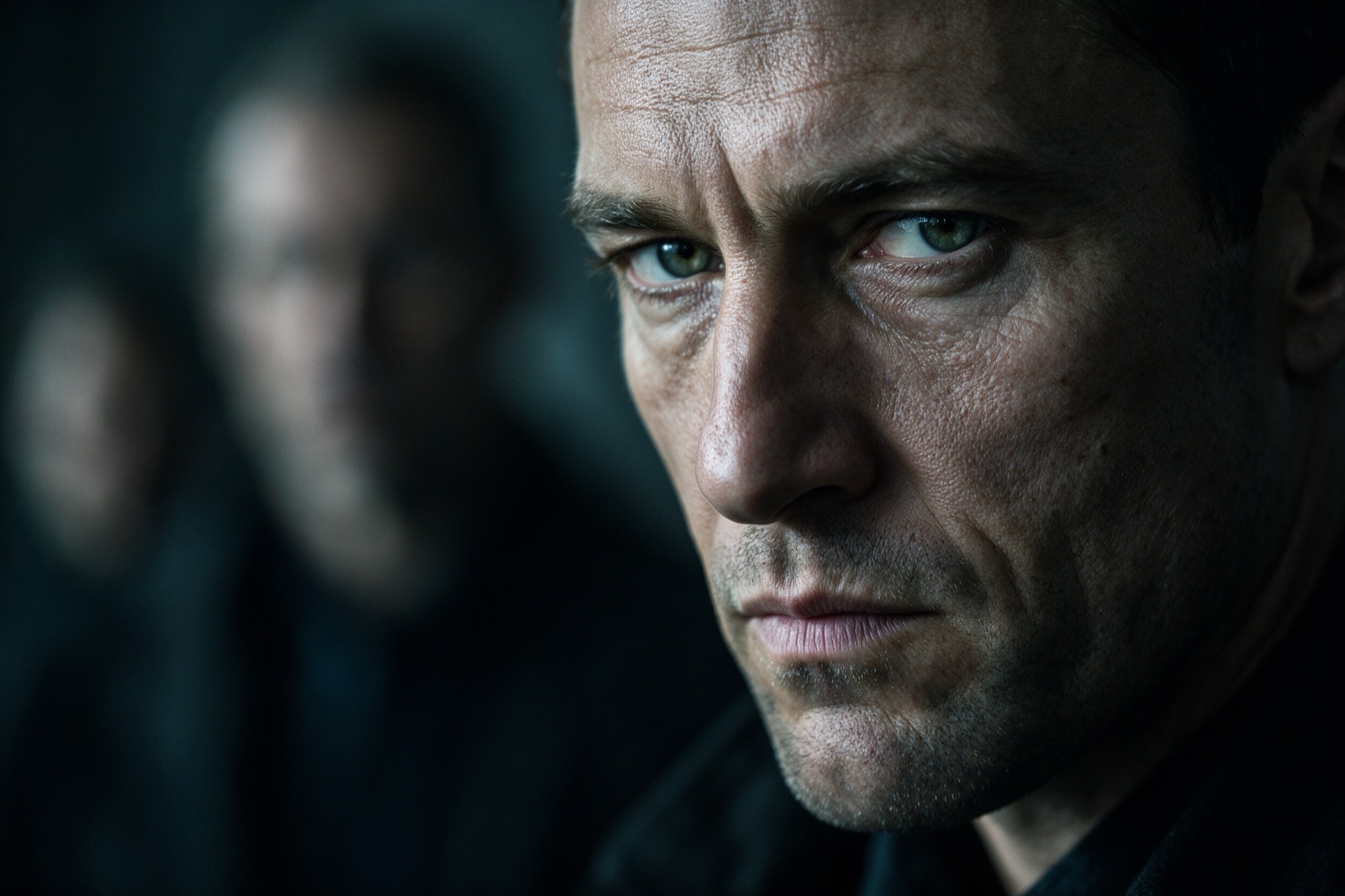
Beyond control, 5.0 Pro raises the ceiling on image quality itself: richer cinematic composition and lighting, stronger storytelling in a single frame, and portrait retouching that keeps the subject's identity while following the instruction — a long-standing weak spot for generative editors.
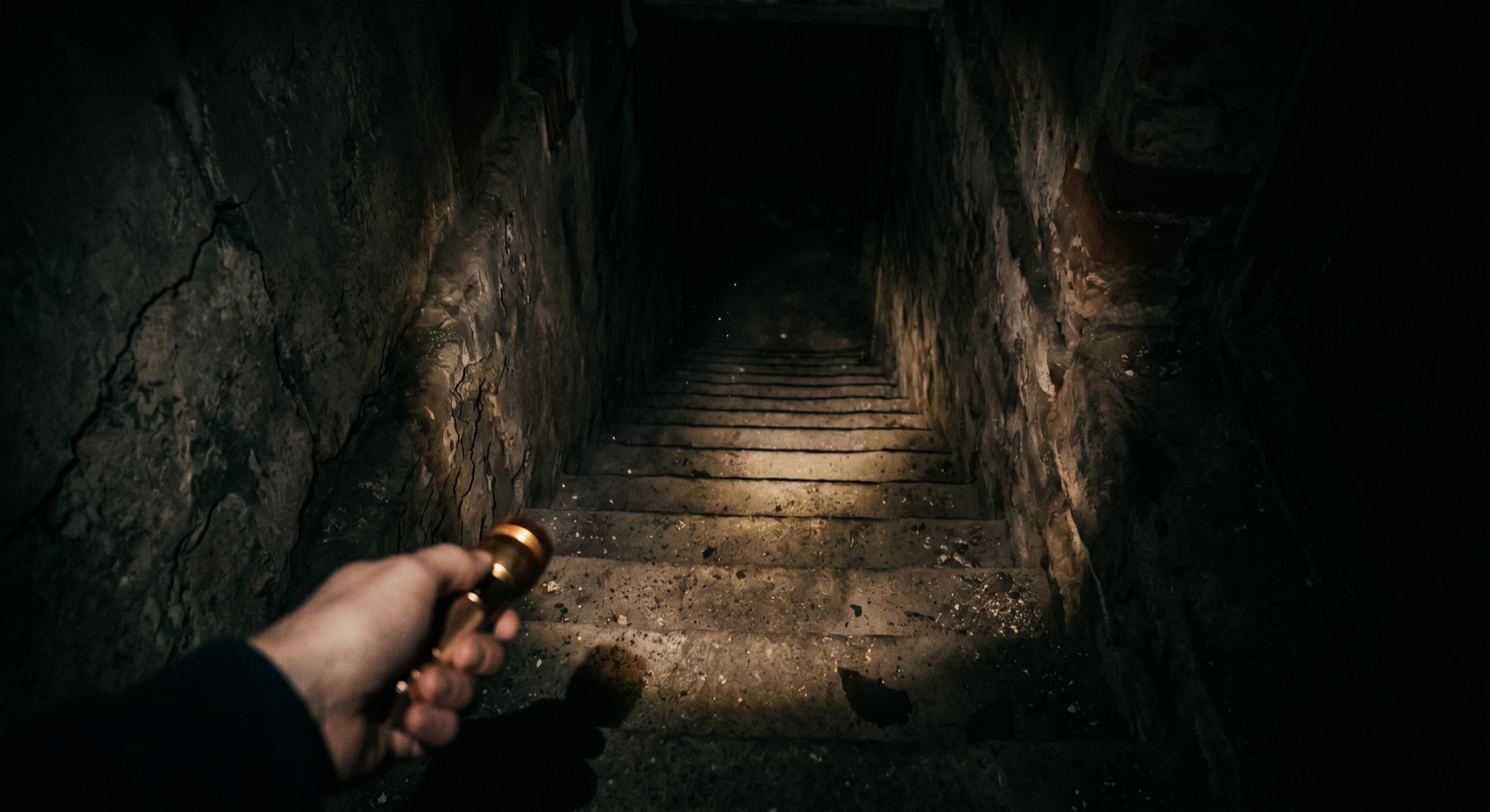
Film-still realism: skin texture, shallow depth of field and mood lighting in a single generation.Camera-language control: a first-person POV frame with practical lighting and atmosphere.
Languages
Native text in 14 more languages
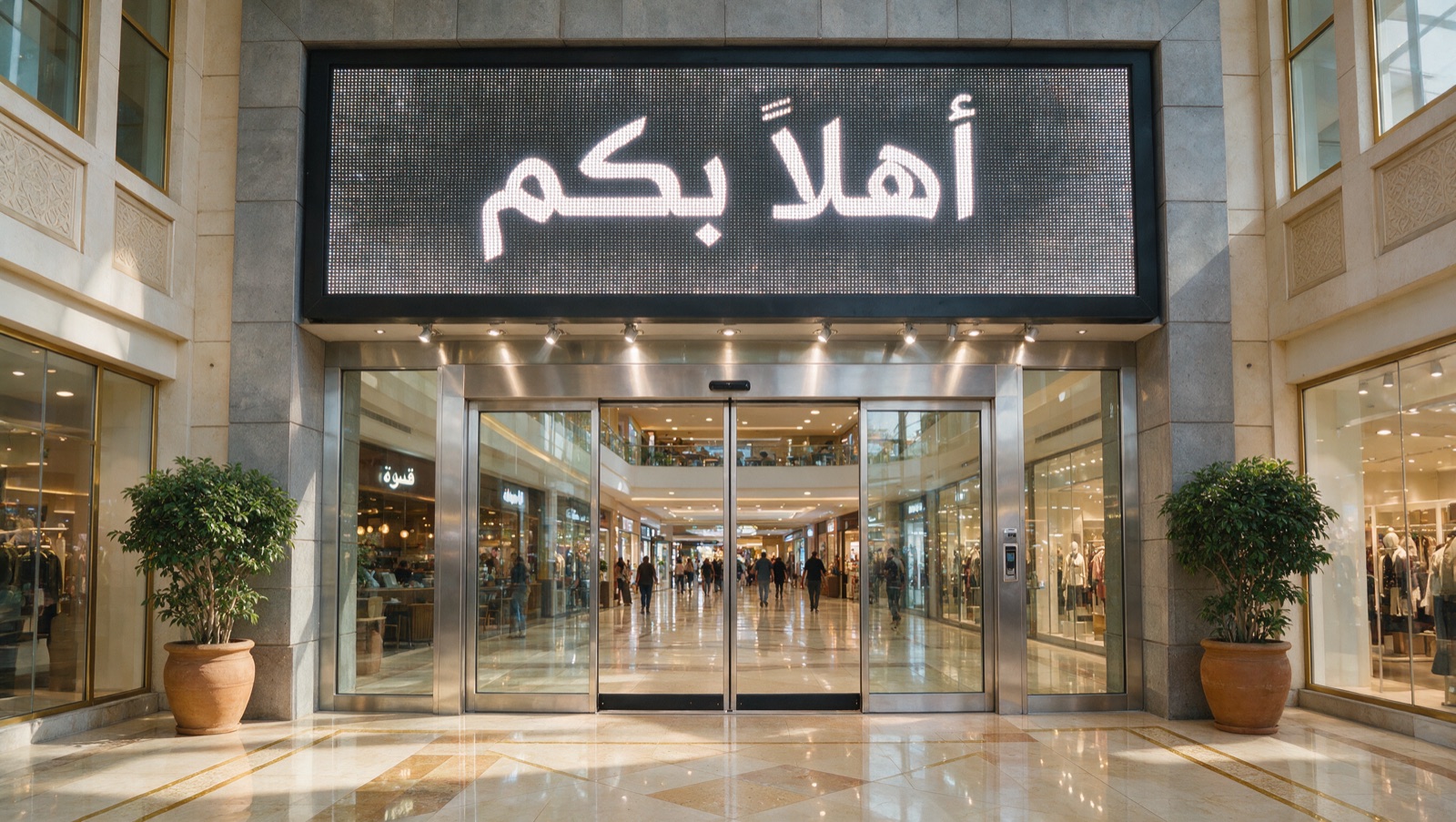
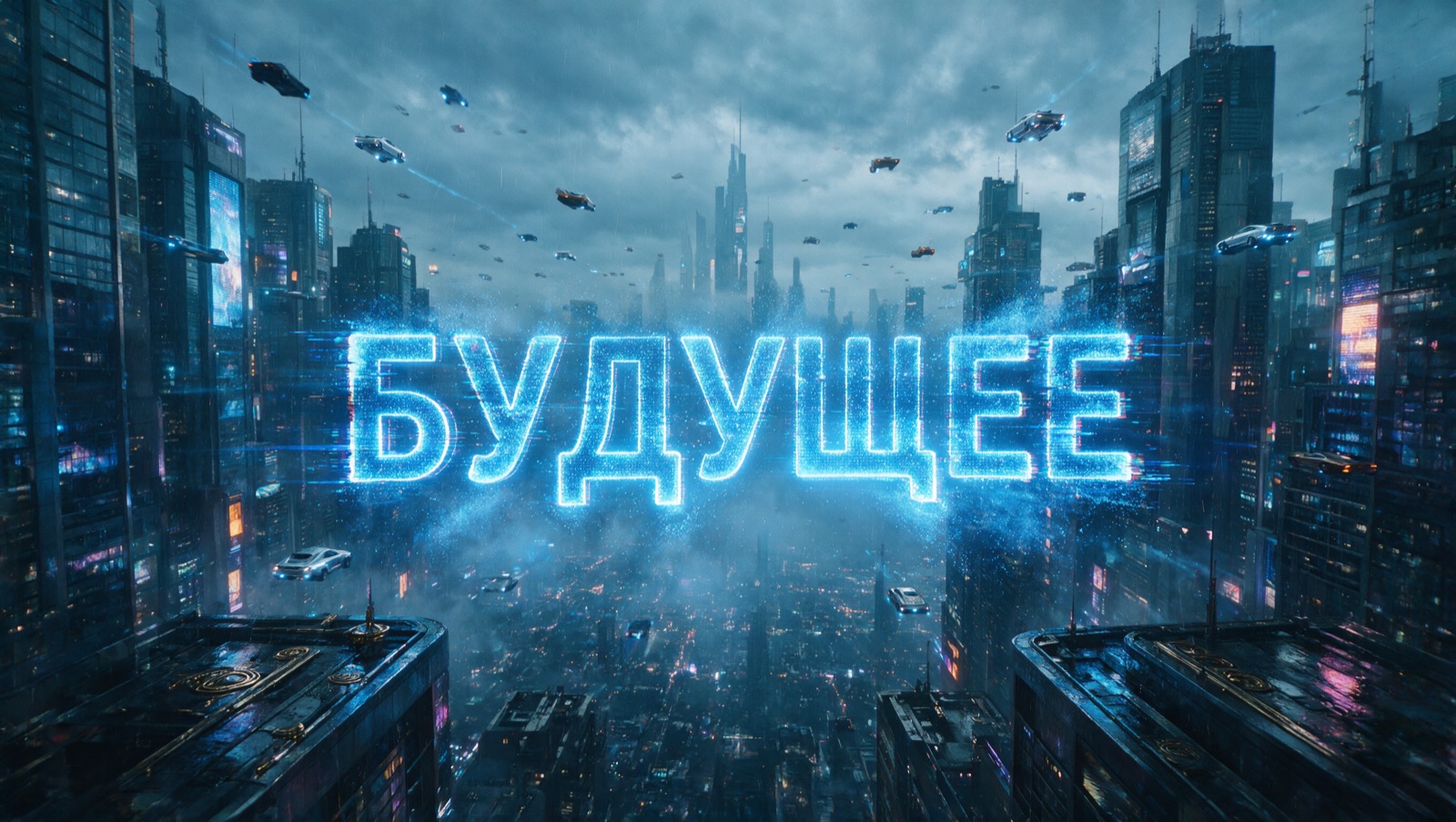
Seedream 5.0 Pro renders structurally accurate text in Spanish, Arabic, French, Portuguese, Russian, Indonesian, German, Japanese, Vietnamese, Turkish, Korean, Malay, Thai and Tagalog — and pairs it with deeper local-culture understanding, from garment construction to decorative patterns.
For localization pipelines, this means replacing in-image text between languages while preserving the layout, product context and typographic intent of the original.
Structurally accurate Arabic signage rendered directly in the scene.Native small-language text with local cultural detail — no post-editing.
Specs & pricing
Model ID
dola-seedream-5-0-pro-260628 (BytePlus ModelArk)
Resolution
1024×1024 – 2048×2048 output (1K / 2K tiers); aspect ratios from 16:1 to 1:16
Reference images
Up to 10 input images per request
Layer separation
Dedicated API field; returns 1 background + up to 19 element PNGs with alpha channel
Editing controls
Coordinates, boxes, points, arrows, annotation frames, color hex codes, sketches
$0.003/image
Input image · first one free
$0.045/image
1K output (≤2.36MP)
$0.09/image
2K output (>2.36MP)
1K vs 2K billing splits at 2.36 megapixels (≈1536×1536). Most single-reference workflows pay nothing for input images.
How the price compares
2K output image, published list prices as of July 2026. Vendors define 1K/2K differently and meter input images and prompt tokens separately; this compares output-image price only. Sources: BytePlus ModelArk, OpenAI, and Google Gemini API pricing pages.
Start building
Seedream 5.0 Pro is available today on BytePlus ModelArk — try it in the console playground or call it through the Images API.